

Context
At Augmenta, our goal is to help artists prototype interactive experiences quickly by letting them focus on the artistic side while making the technical part intuitive and accessible.
To do this, we regularly invite artists to our Lablab studio to test our latest features in real-world conditions.
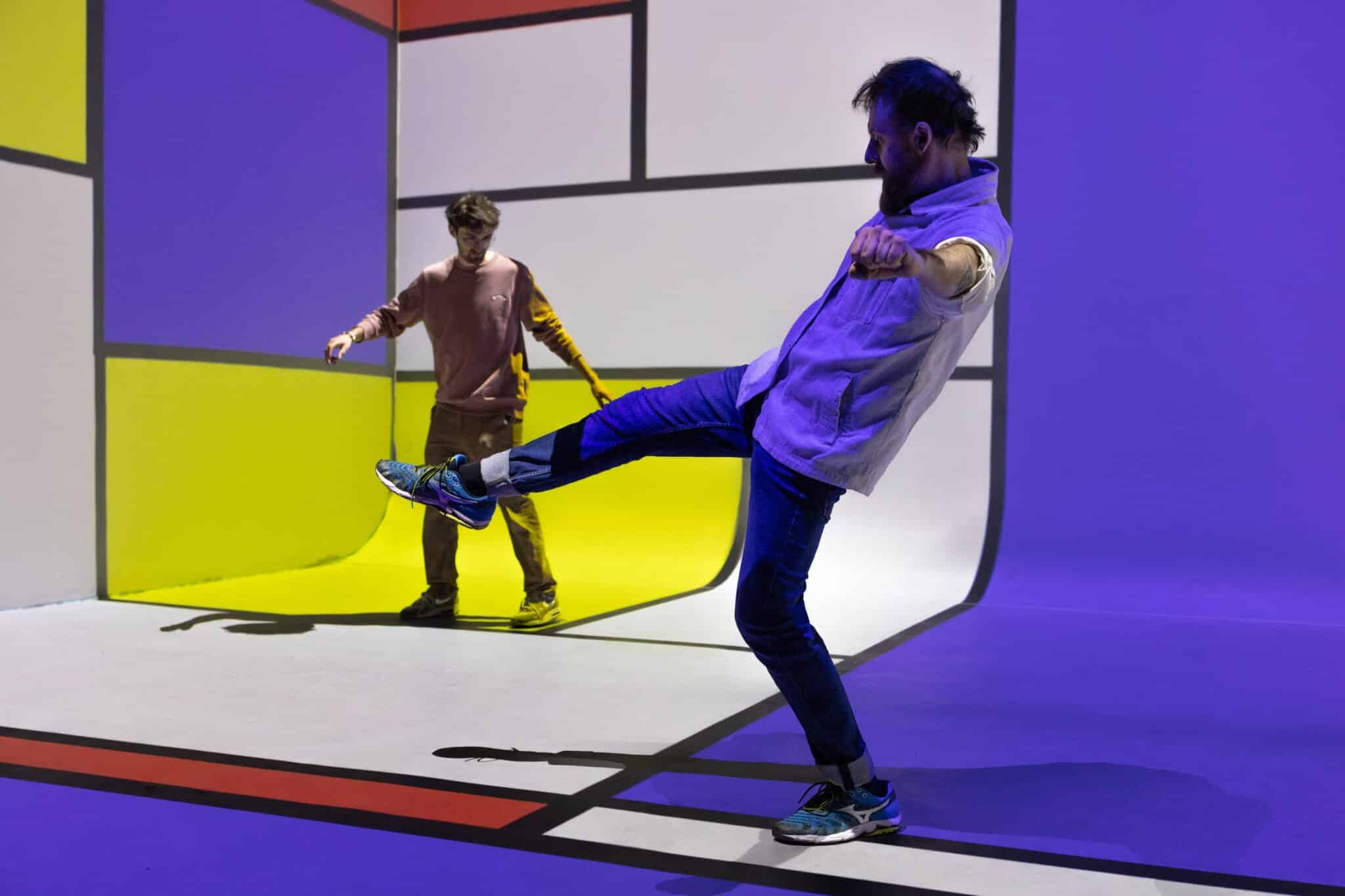
In a recent residency, artists Quentin Bozon and Romain CONSTANT created a giant interactive mixing table that controlled both sound and visuals using body movement. The project was inspired by a Mondrian painting, with each colored square reimagined as an interactive slider.
The entire experience was built in just two days.
Here’s how they did it and how you can do the same.
Step 1: Placing Zones in the Space with Augmenta
Using our new web interface, it’s easy to define interactive zones in your environment. Zones can be square, cylindrical, or spherical, depending on your creative concept.
In this project, the artists recreated the shapes from Mondrian’s painting as spatial zones. Each one acts like a slider that responds to any body movement, whether it’s a hand, foot, or full-body motion.

Step 2: Sending Data to Your Creative Software
Once the zones are set up in the Augmenta interface, you can send that data in real time to your favorite tools. In this case, the artists used TouchDesigner for visuals and Ableton Live for sound design.
Augmenta transmits the position and size of each zone, along with presence detection, entry and exit messages, and XY slider data.
TouchDesigner Integration
There are two ways to receive zone data in TouchDesigner:
Using OSC, you can quickly capture the data and map it to any parameter in your patch.
Or, you can use our WebSocket plugin, which automatically places zones in your project based on the configuration from Augmenta.
You can try the plugin here : Try the Augmenta plugin for TouchDesigner

Ableton Live Integration
Ableton offers several flexible options for receiving zone data.
You can choose between OSC and MIDI, using our plugin to map zone information to instrument triggers, effects, or automation events. This allows for fully responsive, motion-controlled music production.
You can try the plugin here : https://docs.augmenta.tech/create-content/ableton-live

Step 3: Use Case Insights
This project is a strong example of how a single zone-based setup can feed consistent data to multiple creative tools and protocols simultaneously.
It also shows that walls can become interactive surfaces using only floor tracking. As the user moves through the space, visual elements light up and respond dynamically, creating an immersive environment without the need for additional hardware
Conclusion
With the new zone feature in Augmenta, building interactive and immersive experiences has never been easier or faster.
Your body becomes the interface, a controller for triggering sound, visuals, or game mechanics in real time.
Whether you’re prototyping an interactive art installation, designing a motion-controlled performance, or building a collaborative experience, Augmenta lets you move directly from concept to creation. It’s also a unique way to explore collective music-making, where the body becomes an instrument
Credits
Interactive designer : Quentin BOZON
Ableton musician : Romain CONSTANT
Place : Studio Lablab


